





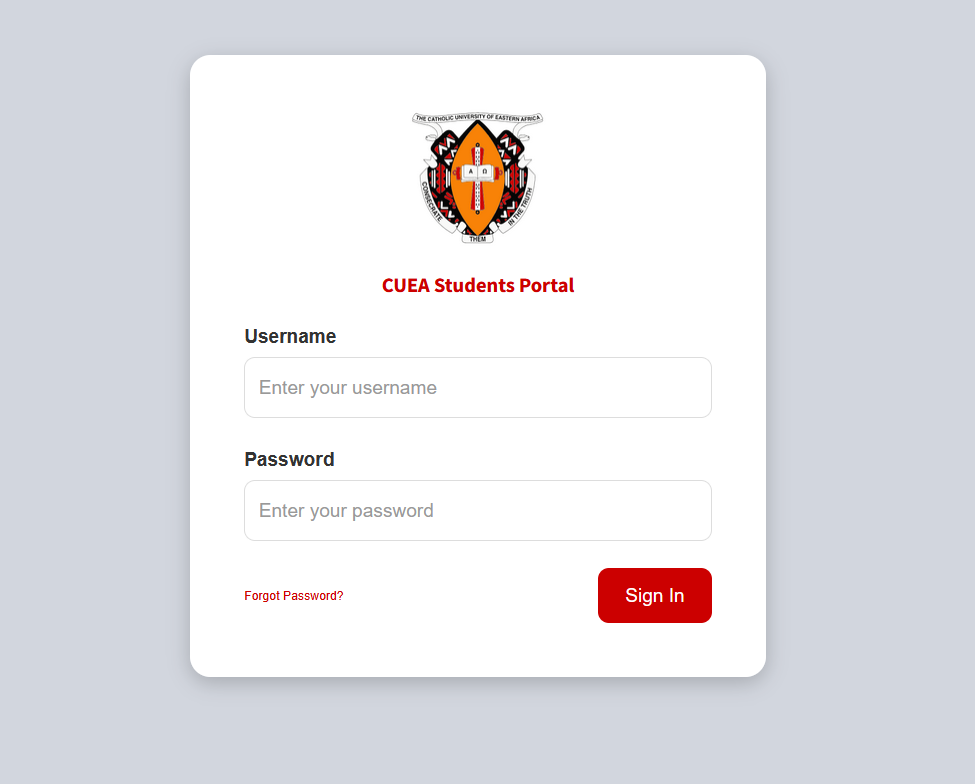
The Catholic University of Eastern Africa (CUEA) has developed a robust Student Portal to enhance efficiency, accessibility, and communication within the institution. This online platform serves as a centralized system where students can manage their academic and administrative activities with ease. As universities increasingly adopt digital solutions, the CUEA Student Portal stands out as an essential tool for modern education management.
Overview of the CUEA Student Portal
The CUEA Student Portal is a secure online platform designed to support students throughout their academic journey. From admission to graduation, the portal provides access to critical services, eliminating the need for frequent physical visits to university offices. Students can log in using their unique credentials and access a wide range of features tailored to their academic needs.
Key Features and Services
The portal offers several important functions that simplify student life:
1. Course Registration
Students can register for their courses each semester directly through the portal. This ensures accuracy and allows for quick adjustments when necessary.
2. Examination Results
The portal provides timely access to exam results and academic progress reports, enabling students to track their performance.
3. Fee Management
Students can view their fee balances, payment history, and generate statements. This promotes transparency and helps in financial planning.
4. Academic Records
Important documents such as transcripts, timetables, and course outlines are easily accessible through the system.
5. E-Learning Access
The portal integrates with online learning systems, allowing students to access lecture materials, assignments, and virtual classes.
6. Communication and Announcements
Students receive updates, notices, and announcements from the university, ensuring they stay informed about academic schedules and events.
Benefits of the CUEA Student Portal
The implementation of the Student Portal offers numerous advantages:
- Convenience: Students can access services anytime and from anywhere
- Efficiency: Reduces paperwork and administrative delays
- Transparency: Provides real-time updates on academic and financial records
- Improved Communication: Enhances interaction between students and university staff
- Better Organization: Helps students manage their academic responsibilities effectively
How to Access the Portal
To access the CUEA Student Portal, students need to:
- Visit the official university website
- Navigate to the Student Portal section
- Enter their username and password
- Log in to access available services
New students typically receive their login credentials during admission or registration.
Security and User Responsibility
The portal is designed with security features to protect student information. Users are advised to:
- Keep login credentials confidential
- Log out after each session, especially on shared devices
- Regularly update passwords
Maintaining security ensures the safety of personal and academic data.
Challenges and Improvements
While the portal is highly beneficial, users may occasionally experience technical issues such as slow loading times or login difficulties. Continuous system updates and user feedback are essential for improving performance and reliability.
Conclusion
The CUEA University Student Portal is a vital digital platform that enhances the overall student experience. By providing easy access to academic and administrative services, it empowers students to take control of their education. As technology continues to evolve, such platforms will remain central to efficient and modern university systems.
FAQs: CUEA University Student Portal
1. What is the CUEA Student Portal?
The CUEA Student Portal is an online platform that allows students to access academic and administrative services such as course registration, fee statements, and exam results.
2. How do I log in to the portal?
You can log in by visiting the official CUEA website and entering your username and password provided during registration or admission.
3. What should I do if I forget my password?
If you forget your password, use the “Forgot Password” option on the login page or contact the university’s IT support team for assistance.
Also Read: Sophia Grace Brownlee: From Viral Stardom to Finding Her Own Voice
4. Can I register for courses through the portal?
Yes, students can select and register for their courses each semester directly through the portal.
5. How can I check my exam results?
Once results are released, you can log in to the portal and view them under the academic or results section.
6. Is the portal accessible on mobile devices?
Yes, the portal can be accessed via smartphones, tablets, and computers as long as you have an internet connection.
7. Can I view my fee balance and payment history?
Yes, the portal provides detailed fee statements, including outstanding balances and payment records.
8. Who can use the CUEA Student Portal?
The portal is available to prospective students, newly admitted students, and continuing students.
9. What should I do if the portal is not working?
If the portal is down or slow, try refreshing the page, checking your internet connection, or accessing it later. If the issue persists, contact IT support.
10. Is my information safe on the portal?
Yes, the portal uses secure systems to protect user data. However, students should also keep their login details confidential.



